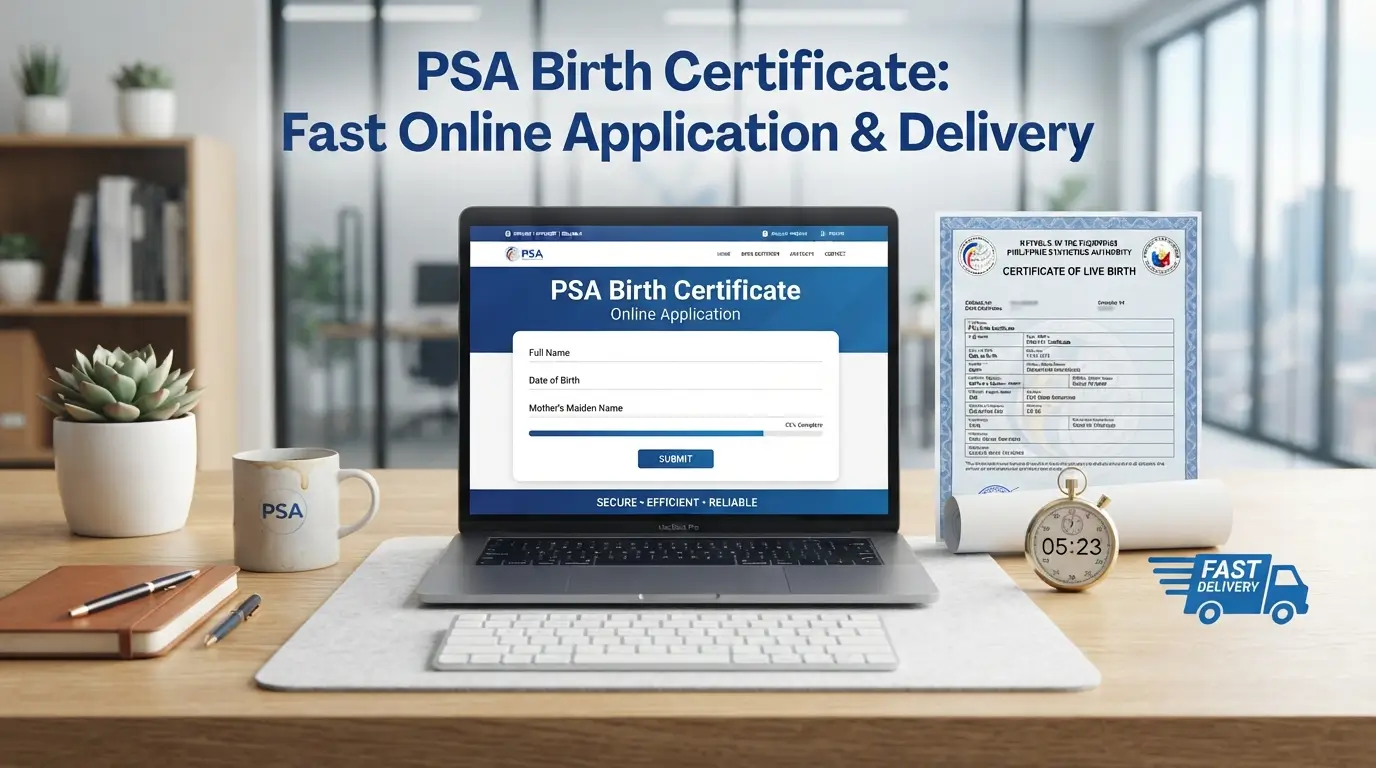
PSA Birth Certificate: Fast Online Application & Delivery
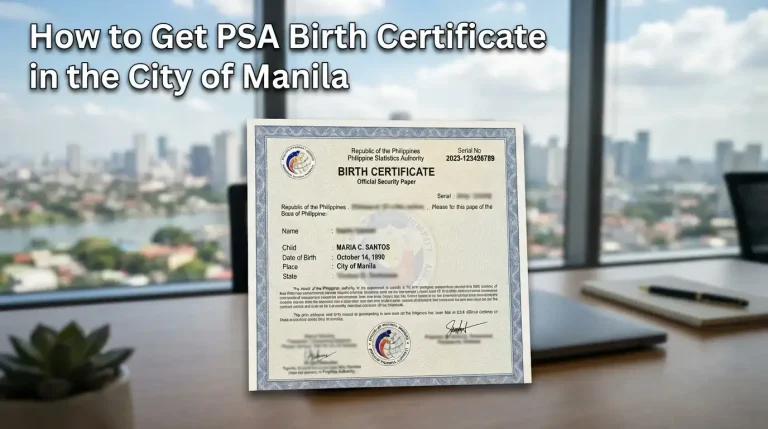
Every Filipino’s journey toward legal recognition begins quietly, long before passport applications or school enrollment ever arise, with one official document issued nationwide by the Philippine Statistics Authority carrying proof of identity for every citizen.
Long before digital services simplified requests, families relied on the Local Civil Registrar to record every birth within the municipality, safeguarding civil registry documents and identification papers that later unlock benefits, marriage, and guardianship rights.
How to Get a PSA Birth Certificate Online
Getting a PSA birth certificate online is a simple and convenient option, especially for people who do not have enough time to visit an office and process their birth certificate application personally. You can request a copy of your PSA birth certificate online through PSAHelpline.ph, an official and authorized partner of the Philippine Statistics Authority (PSA). This online platform helps make the application procedure easier by allowing applicants to order PSA birth certificates without going to a PSA outlet.
PSA Online Application Procedure
To begin, go to the homepage of the PSAHelpline.ph website. Click the “Order Now” button found on the right side of the screen. You may also click the “Order Now” button located in the website header to start your PSA birth certificate online request.
Once the next page loads, select the “Birth” button. After that, check the box at the bottom of the page to confirm that you accept the terms and conditions. Then, click “Continue” to move forward with your application.
The next page will show two available options. If you are requesting your own document, choose “My Own Birth Certificate.” If you are ordering a PSA birth certificate for a family member or another person, select “For Someone Else.” After choosing the correct option, click “Continue.”
A new page will then appear showing the information that will be collected from you during the application. Before proceeding, make sure that you already have the required details ready. Once you have reviewed the list, click “Continue.”
After that, you will be asked to complete a form with important personal details. These include your sex, civil status if you are female, first name, middle name, last name, birth date, and the type of government-issued ID you will use. After filling out all the required fields, click “Continue.”
The next page will ask for your name and delivery address. Make sure the delivery details are complete and accurate so your PSA birth certificate online order can be delivered without issues. After entering the required information, click “Continue.”
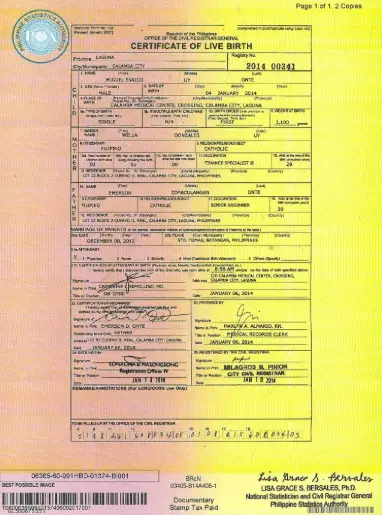
Before submitting the request, review the Certificate of Live Birth form carefully and check that all the details are correct. You will also need to choose the number of copies you want to order. Once everything is accurate, tick the “I Confirm” box to proceed.
A Few Reminders When Filling Out the Form
Why Do You Need A PSA Birth Certificate
Establishing identity starts here a requirement for official transactions, from enrollment to passport renewal. Whether processed through the National Statistics Office legacy system or today’s streamlined channels, this single document anchors nearly every application process an individual will ever undergo.
For individuals under 18, guardians rely on it for enrollment, health insurance claims, and even legal proceedings involving custody or inheritance. Adults need it too banks, embassies, and employers all treat this record as the baseline proof tying a person’s full name to verified parentage.
PSA Online vs. Walk-In: A Comparison Guide
If you need to get your PSA birth certificate, there are two common ways to do it: you can either visit a PSA CRS Outlet in person or request a PSA certificate online. To make the decision easier, here is a simple side-by-side guide that compares both options and helps you choose the more convenient and practical method.
| FEATURE | PSA ONLINE | WALK-IN |
|---|---|---|
| Application Process | The application process is completed through PSAHelpline.ph, which is available 24/7. | Requires a PSA online appointment and personal appearance at the outlet. |
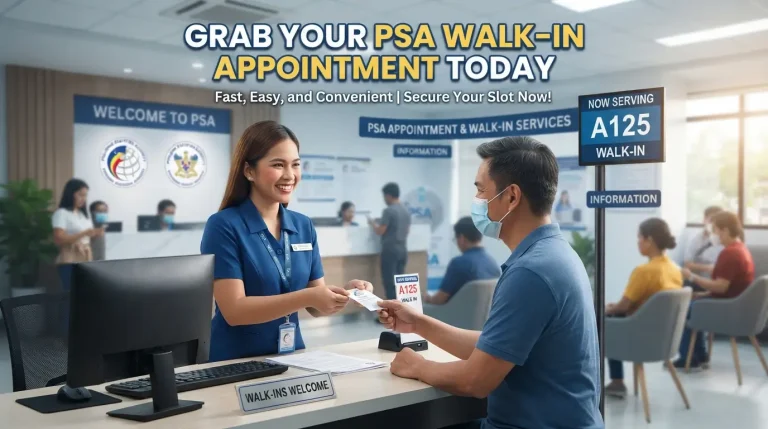
| Time and Effort | You can place your order anytime and anywhere using a mobile phone, laptop, or tablet. | You need to travel to the PSA CRS outlet and wait in line. |
| Payment Methods | Offers several payment options such as GCash, Maya, credit cards, debit cards, 7-Eleven, Bayad, and more. | Payment is made in cash at the outlet. |
| PSA Delivery | PSA delivery is available nationwide and sent directly to your home. | The certificate must be picked up on the appointment date or scheduled release date. |
| Required ID | The ID details must match the information written on your certificate. | A valid ID must be presented onsite. |
| Best For | Ideal for busy individuals, OFWs, and people who live far from PSA offices. | Suitable for those who need additional assistance, have special document concerns, or need their PSA certificates on the same day. |
| Processing Fee | Php 365.00 for PSA birth, marriage, and death certificates. Php 420.00 for PSA CENOMAR and CENODEATH. This rate already includes both processing and delivery fees. | Php 155.00 for PSA birth, marriage, and death certificates. Php 210.00 for PSA CENOMAR and CENODEATH. |
Tip:
If convenience is important to you and you prefer getting your birth certificate online, the PSA online process is a smart, simple, and hassle-free option compared to visiting an outlet in person.
What Is A PSA Birth Certificate?
Most Filipinos only meet the official document when passport applications or school enrollment demand it, yet underneath sits nationality, lineage, and civil status, proof drawn from civil registration records, not paperwork for employment or licenses.
Long before nationwide delivery, Local Civil Registrars handled initial registration of birth under Republic Act No. 3753. Now PSA authentication, certified copies, and 24/7 customer support quietly serve minor, guardianship, and adoption cases alike too.
Checklist: Before You Apply for a PSA Birth Certificate Online
Before starting your online application, it is important to make sure that all required details and documents are ready. This can help prevent processing delays and increase the chances of a smooth and successful birth certificate online request.
✅ Personal and Document Information
Prepare the basic information needed for your PSA birth certificate online application, including:
Full name, exactly as it appears on your birth record
Date of birth
Place of birth
Names of both parents
A government-issued ID that matches the details on your birth certificate
✅ Internet Access and a Valid Email Address
Make sure you have a stable internet connection and an active email address. Your reference number, payment confirmation, and delivery updates will be sent through email, so use one that you can easily access.
✅ Accurate Delivery Address
Provide a complete and correct delivery address where you or your assigned Authorized Representative can personally receive the document. This is very important for smooth and successful PSA delivery.
✅ Your Government-issued ID
Keep your valid government-issued ID ready. You will need it for application verification and when receiving your PSA certificate online order. The details on your ID must match the information you submitted during the application.
✅ Payment Readiness
Before you proceed, make sure you have access to an available payment method. You may use options such as:
GCash
Visa/Mastercard
7-Eleven CLIQQ
PayMaya
Bayad Centers
✅ Time to Double-check Your Entry
Take a few minutes to review every detail before clicking “Confirm.” Small errors, such as a misspelled name or wrong birthday, may cause delays in processing your application.
Reminder: You must be at least 18 years old to request your own PSA birth certificate online. For minors, the application must be made by a parent or legal guardian.
How Much is a PSA Birth Certificate Online?
A PSA birth certificate online request costs Php365.00, and this amount already includes nationwide delivery. After you complete the online application process, you will receive a Reference Number. This reference number will be used when paying through the available online or over-the-counter payment channels.
The following payment options are accepted:
As mentioned, the total processing and delivery fee for one copy of a PSA birth certificate online is Php365.00. You may settle your payment using any of the available methods below:
To check the status of your PSA birth certificate online request, click the “Check Status” tab found in the website header. Then, enter your 10-digit reference number to view the latest update on your order.
Tips for a Smooth PSA Online Application
Ordering your PSA birth certificate online can be simple and hassle-free when you know how to avoid the usual mistakes. Whether you are applying for the first time or making another request, these helpful tips can guide you in completing your PSA Online Application correctly the first time.
a. Double-Check All Information Before Submitting
Before you submit your request, carefully review all the details you entered. Small errors in your name, birthdate, or parents’ names may lead to delays or possible mismatches. Remember, PSA will search for the record based on the exact information you provide.
b. Use a Valid and Matching ID
Make sure your government-issued ID shows the same name and birthdate indicated on your birth certificate. You will also need to present this ID when receiving your PSA document, so the details must match your application information.
c. Make Sure You Are Available to Receive the Delivery
Your document can only be released to the requestor or the authorized recipient. To avoid delivery problems, use an address where you or your assigned recipient will be available to personally receive the PSA delivery.
d. Choose a Payment Option That Works for You
Different payment methods may have different posting times. If you want your PSA delivery process to begin as soon as possible, choose options like GCash, Visa/Mastercard, or PayMaya, as these usually provide faster or instant payment confirmation.
e. Save Your Reference Number
Keep your reference number safe after completing your order. You will need it to track your PSA birth certificate online request and to confirm your payment status.
f. Order in Advance
There are times when demand for PSA documents becomes higher, especially during school enrollment, passport application, or passport renewal periods. To avoid delays and last-minute stress, it is better to order your certificate ahead of time.
Important: When applying for a PSA certificate online, use only official and authorized platforms such as PSAHelpline.ph to ensure a safe and reliable transaction.
Common Mistakes to Avoid When Ordering a PSA Birth Certificate Online
To avoid delays and possible issues, it is important to be careful when ordering your PSA birth certificate online. Below are some common mistakes you should avoid so your request can be processed smoothly.
a. Misspelled Names or Wrong Details
Even a small typo in your first name, last name, birthdate, or other personal information can affect the result of your request. Always make sure that the details you enter match the information found in your birth record.
b. Mismatch Between ID and Application Details
Your government-issued ID should match the information written on your birth certificate. If there is a difference, such as a misspelled name, wrong birth year, or incomplete details, your PSA delivery may not be completed successfully.
c. Using an Incomplete or Inaccessible Delivery Address
Providing an incorrect or incomplete address can lead to failed delivery. Use a clear and reachable delivery address where you can personally receive your PSA certificate once it arrives.
d. Not Saving Your Reference Number
Your reference number is needed to track your birth certificate online request and check the status of your order. Once you receive it, take a screenshot or write it down so you can easily access it later.
e. Requesting Without Proper Authorization
If you are requesting a PSA certificate for another person who is not your child, parent, or spouse, make sure you have the proper authorization. This can help prevent problems during the delivery of the PSA certificate. You may also check the guidelines for the Online Letter of Authorization for PSA certificates.
Pro Tip: PSAHelpline.ph provides customer support through its hotline at (02) 8737-1111 and email at [email protected]. If you encounter any issue with your request, contact them right away and provide your reference number. The hotline is available from Monday to Saturday, 8:00 AM to 5:00 PM, except during holidays.
PSA Online Delivery Reminders
How to Track Your PSA Online Order
After placing your order for a PSA birth certificate online, you can easily track your request to stay updated on every stage of the process. Tracking your order helps you know whether your application is still waiting for payment, already being processed, released by PSA, or out for delivery.
Use Your Reference Number
Once you complete your online application, you will receive a unique 10-digit Reference Number. Keep this number safe because it is required whenever you want to check the status of your PSA online order.
Where to Check
To track your request, go to PSAHelpline.ph and click the “Check Status” tab located at the top of the homepage. Enter your Reference Number to view the latest updates about your order.
Delivery Status Updates
Your order is waiting for payment
This means your order has been successfully accepted by the system but payment has not yet been posted. Processing will only start once your payment is confirmed. You may settle the fee through any accredited PSA online payment channel.
Your order is already paid
This status means your payment has been received. Your order is now being processed by PSAHelpline.ph and the Philippine Statistics Authority.
Your order was already released at the PSA
This means your PSA birth certificate has already been printed and approved for dispatch. It will soon be turned over to the partner courier. You will receive another update once your document is officially out for delivery.
Your order is out for delivery
Your PSA certificate online order is already in transit and will be delivered to the address you provided. Prepare your valid ID because the courier will ask for it before releasing your document. You may also check the delivery progress through the tracking link sent to your email or SMS.
Your order was delivered
This confirms that your order has been successfully delivered to your nominated address. If you were not the one who received the document, make sure it was accepted by your assigned Authorized Representative through the Online Letter of Authorization (LOA) and with a valid ID.
Estimated Timeframes
For Metro Manila, PSA delivery is usually completed on the next working day after the document is released by PSA.
For Provincial Areas, delivery may take around 3 to 8 working days, depending on the location.
Tip: Keep your Reference Number ready and save all email or SMS updates from PSAHelpline.ph. These details can help you track your order and coordinate with the courier if needed.
How to Correctly Assign an Authorized Representative for PSA Delivery
If you are not available to personally receive your PSA birth certificate, PSAHelpline.ph gives you the option to assign an authorized representative through the Online Letter of Authorization (LOA) feature. This allows your PSA document to be delivered safely and smoothly, even when you cannot receive it yourself.
Step-by-Step Guide to Assigning an Authorized Representative through the Online Letter of Authorization (LOA)
Complete the Order Form
Start by filling out the order form with the required personal details and certificate information. Make sure all information is accurate before moving to the next step.
Choose Your Delivery Option
At the bottom of the order summary page, you will be asked to choose who will receive the PSA certificate. You may select either:
You, as the requesting party, or
An Authorized Representative who will receive the document on your behalf.
To continue with this option, select Submit an Online LOA.
Proceed to Payment
After choosing the Online LOA option, you will be redirected to the payment page. You may pay through PSAHelpline’s accredited payment channels, including credit or debit card, e-wallet, or over-the-counter payment at partner outlets.
Identity Verification
Once your payment is successful, you will need to complete the identity verification process before assigning your authorized representative. Prepare a copy of your valid ID for upload and complete the liveness check. Make sure the ID copy you upload is clear, readable, and valid.
Assign Your Authorized Representative
After successful payment and identity verification, you can proceed with assigning your authorized representative. There are three ways to do this:
First, you may use the secure link sent to your registered email address.
Second, you may click the “Assign Submit an Online LOA” button after completing a successful online payment.
Third, you may click the Customer Service button on the website, which will redirect you to the Customer Service portal. From there, look for the Online Letter of Authorization section and click the “Assign a Representative” button.
You will need to provide the complete name and date of birth of your authorized representative. The person you assign must be of legal age and must be the one who will receive the document on your behalf.
Once assigned, your authorized representative’s information will appear in the viewable record in the Customer Service portal.
Tips for a Smooth Delivery via Authorized Representative
Choose a reliable person who is easy to contact and available during the expected delivery schedule.
Remind your authorized representative to prepare a valid ID included in the accepted ID types. The name on the ID must match the name entered in your application.
Your authorized representative must be present at the exact delivery address provided in your order to receive the PSA document from the courier.
Understanding the QR Code and Security Features on PSA Certificates
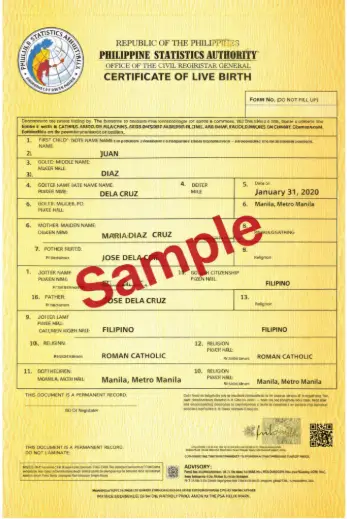
To help confirm the authenticity of your PSA birth certificate, PSA certificates now include improved security features, including a unique QR code. These features are designed to protect the document from fraud and make verification easier for users, offices, and institutions.
What is the PSA QR Code?
The PSA QR code is a secure, machine-readable graphic printed on your PSA birth certificate. It contains encrypted details that are connected to the official PSA database, allowing the certificate information to be checked safely and accurately.
How Does the QR Code Help Prevent Fraud?
The QR code helps make document verification faster and more reliable. By scanning the code, a person or organization can check whether the birth certificate is genuine. This helps prevent tampering, forgery, and the use of fake documents in legal, government, or official transactions.
How to Verify Your PSA Certificate Online
To verify your PSA certificate online, download the official PSA e-Verification app from Google Play or the Apple App Store.
After installing the app, open it and use your phone’s camera to scan the QR code printed on your PSA certificate.
The app will then show the certificate details based on the records of the PSA. This helps confirm whether the document is authentic.
Tip: Before using your PSA certificate for important transactions such as passport applications, employment requirements, or government benefits, it is best to verify it through the official PSA app.
FAQs
Conclusion
Getting a PSA birth certificate online is a practical and convenient option for anyone who wants to avoid long lines, save time, and receive an important civil document safely at home. By preparing the correct information, using a valid matching ID, choosing a reliable payment method, and tracking the order through the reference number, applicants can complete the process smoothly. Overall, PSAHelpline.ph makes birth certificate requests easier, faster, and more accessible for Filipinos who need official proof of identity for school, travel, legal, or personal purposes.

3 Comments